
What if your hybrid event’s livestream reaches remote attendees but leaves them feeling like spectators? The right hybrid event video coverage solutions do more than carry a stage feed online. They connect the room and the screen, giving each audience a clear view of the message and meaningful ways...
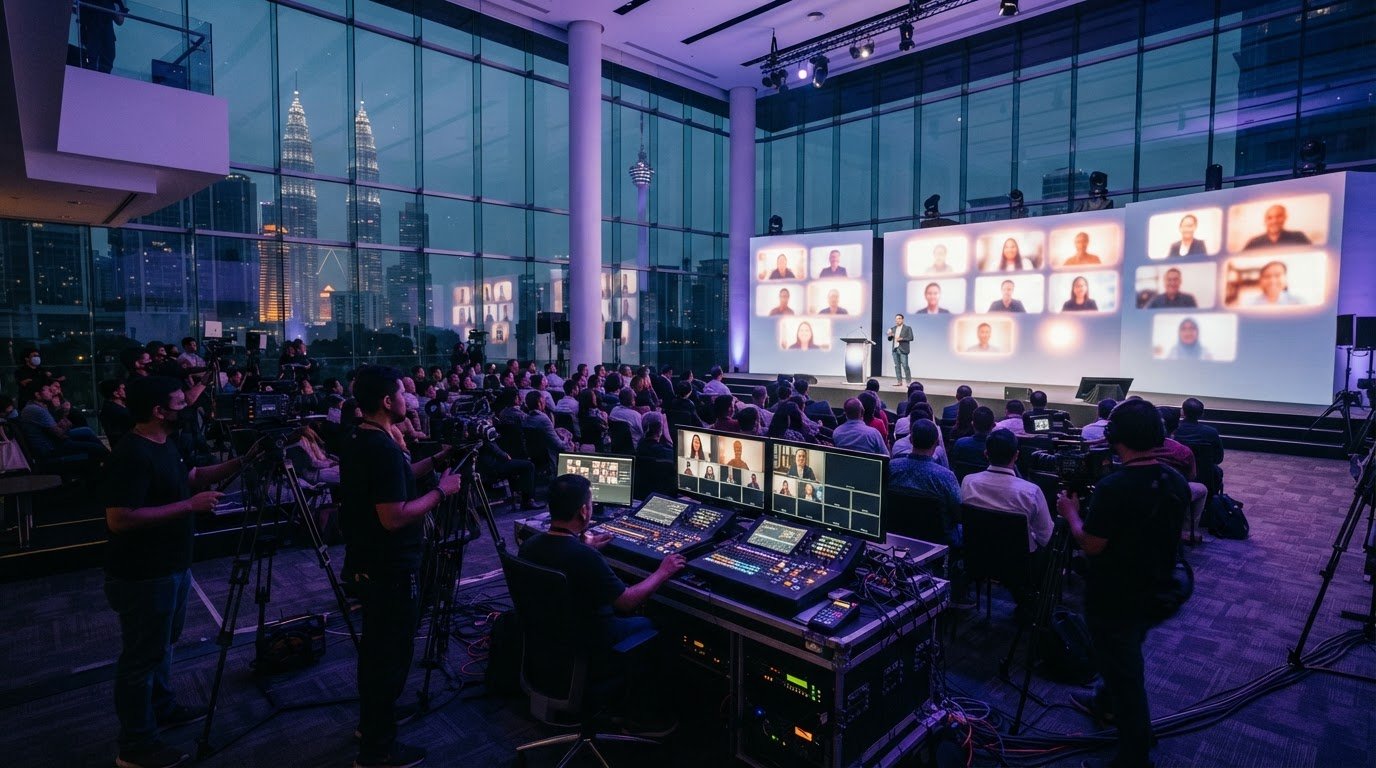
What if your hybrid event’s livestream reaches remote attendees but leaves them feeling like spectators? The right hybrid event video coverage solutions do more than carry a stage feed online. They connect the room and the screen, giving each audience a clear view of the message and meaningful ways to take part.
That takes more than cameras and a streaming link. Video production and event technology need to work together, and coverage priorities should reflect what the event needs to communicate. Without a plan, important moments can be missed, remote participation can feel secondary, and footage may have little use after the broadcast.
This guide explains what effective hybrid coverage needs to deliver and how to compare production approaches by audience experience and communication goals. You’ll learn how to align production with event technology, set practical coverage priorities, and plan useful deliverables for in-room and remote audiences. We’ll also look at how event coverage, montage creation, and virtual experiences can support the live event and extend its message. The aim is one coherent story, shaped for every audience.
• Shape hybrid event coverage around one goal: connect in-room and remote audiences, not just stream the stage.
• Clarify how the event platform, video production, and audience interaction each support the experience.
• Compare hybrid event video coverage solutions by coverage scope, interaction, production coordination, and post-event assets.
• Brief the production team with clear priorities for the programme, speakers, remote access, audience participation, and deliverables.
• Plan beyond the live feed by considering how event coverage, montage creation, and virtual experiences can support the event before, during, and after broadcast.
Hybrid event video coverage is planned video production that captures and presents an event for in-room and remote audiences, with coverage shaped around the event’s message, live experience, and post-event content needs. It goes beyond providing a digital link: production decisions determine what each audience sees, hears, and can revisit. A hybrid event combines live and virtual elements, but effective coverage connects them through a coherent viewing experience.
Three functions work together, but they aren’t interchangeable:
provides the digital environment where remote attendees access the programme.
plans and captures visual and audio coverage, then delivers the live picture and agreed post-event assets.
gives remote participants ways to engage, such as submitting questions or taking part in a discussion.
The platform provides access, production gives the event its visual perspective, and interaction helps remote attendees take part. Coordinate all three so the event feels like one experience, not a room feed placed online.
Coverage starts with purpose: which speakers, moments, and messages matter most to each audience? Translate those priorities into a plan for visual coverage, sound, graphics, and the live presentation. A leadership keynote may need a clear view of the speaker and presentation, while a panel discussion may need viewers to follow both the conversation and the person speaking. For each segment, note the essential view or information that remote viewers must not miss.
The plan should also define what happens after the event. A full recording may serve as a replay, while selected moments can be shaped into a montage or other visual content. Decide which outputs matter and who will use them before the event, rather than treating post-event content as an afterthought. For organizations looking to expand their broader promotional content and visual storytelling, check out Framework Creative to see how creative visual media can elevate brand communications.
A basic livestream may transmit one camera feed to a remote audience. Planned hybrid coverage makes deliberate choices about what viewers see and when: a speaker close-up, a wider view of the room, presentation graphics, or a change in perspective as the programme moves from a keynote to a discussion. Those choices provide context and help remote viewers follow the event’s flow.
Interaction and follow-up content also belong in the wider plan. For example, a moderator can bring remote questions into a live discussion, while the coverage plan captures the exchange for later use. Hybrid event video coverage solutions should be judged not only by whether the stream runs, but by how production serves both audiences and carries the event’s message beyond the live moment.
A connected hybrid event is designed as a journey, not a broadcast that begins when the speaker walks onstage. Before the event, attendees need clear information about how to access the programme and participate. During the event, people in the room and remote viewers need a shared understanding of key ideas and moments. Afterward, a replay or selected highlights can extend the message beyond the live session.
Each stage has a different job. Production makes the live programme clear and watchable; the platform provides access; moderators and interaction tools help people contribute. The hybrid event production guide from AVIXA offers further perspective on coordinating audiovisual planning with content and audience needs. The central principle is alignment: production and engagement should support each other, not compete for attention.
Remote viewers rely on production to bring the room to them. Frame speakers clearly, capture intelligible speech, and keep presentation text or graphics legible on screen. A camera view that works for people seated in the venue may feel distant online, so plan framing for the viewer’s screen as well as the stage.
Transitions matter, too. A purposeful change from a speaker to a presentation visual, or from a panel overview to the person speaking, helps viewers follow the programme. Moderation can connect coverage to audience participation by selecting questions that serve the session’s goals and giving speakers context before they respond.
People in the room experience the stage, atmosphere, and activity around them. Remote attendees experience only what the camera includes. Production planning needs to account for both: a stage interaction might be easy to follow in person but unclear on screen unless the view shows who is speaking and how others respond.
Editorial choices preserve context. Introduce speakers by name and role, keep essential presentation details visible, and make programme changes clear rather than expecting online viewers to infer what’s happening in the room. If a discussion shifts direction, a moderator’s concise recap can bring remote participants along without slowing the session for everyone.
Thoughtful hybrid event video coverage solutions balance these needs through coordinated framing, sound, graphics, pacing, and participation. VISIOLAB’s event coverage production brings strategic messaging and audience experience into the production plan, helping the live programme speak clearly to people in the room and on screen.
Compare approaches by the experience and outputs they support, not just by whether they can put a session online. A platform, a livestream, and production-led coverage address different parts of the event. For a short briefing with one presenter, a simple setup may be suitable. A multi-speaker programme with varied segments or important organizational messages may need more coordinated coverage.
| Approach | Coverage scope | Interaction | Production coordination | Post-event assets |
|---|---|---|---|---|
| Platform-only | Provides a digital space to host or access the event. | May support built-in participation features, depending on the platform. | Focuses on the online environment; it doesn’t by itself plan camera coverage or editorial flow. | Replay or platform materials depend on the event setup and chosen deliverables. |
| Livestream-focused | Sends event video to remote viewers, often centred on the live programme. | Interaction can happen through platform tools or a moderator, but may need separate planning. | Prioritizes getting the live feed out; coverage choices may be limited to the broadcast requirement. | A recording may be available, but further edits or a montage need to be planned. |
| Production-led | Plans video around the event’s communication goals and both audience experiences. | Coordinates the viewing flow with planned opportunities for participation. | Aligns visual coverage and programme priorities with live delivery. | Can plan for a replay, event montage, or virtual experience as part of the wider content picture. |
A platform or straightforward livestream can suit a simple presentation with one speaker, a consistent format, and few visual changes. Platform features can make access and participation easier, but they don’t replace decisions about what remote viewers need to see or how the message should unfold. Keep the setup proportionate to the programme and its communication goals.
Consider a production-led approach when several speakers, panels, presentations, or programme transitions need to feel coherent. Coordinated camera coverage can clarify who is speaking and what matters onscreen, while editorial planning connects segments into a clear story. It also helps define whether a replay, montage, or virtual experience should extend the event.
Use these hybrid event video coverage solutions as a decision framework: match coverage scope to programme complexity, interaction to audience needs, coordination to communication priorities, and post-event assets to how the content will be used. More production isn’t automatically better. Choose the approach that gives each audience what it needs and creates the content the event is meant to deliver.
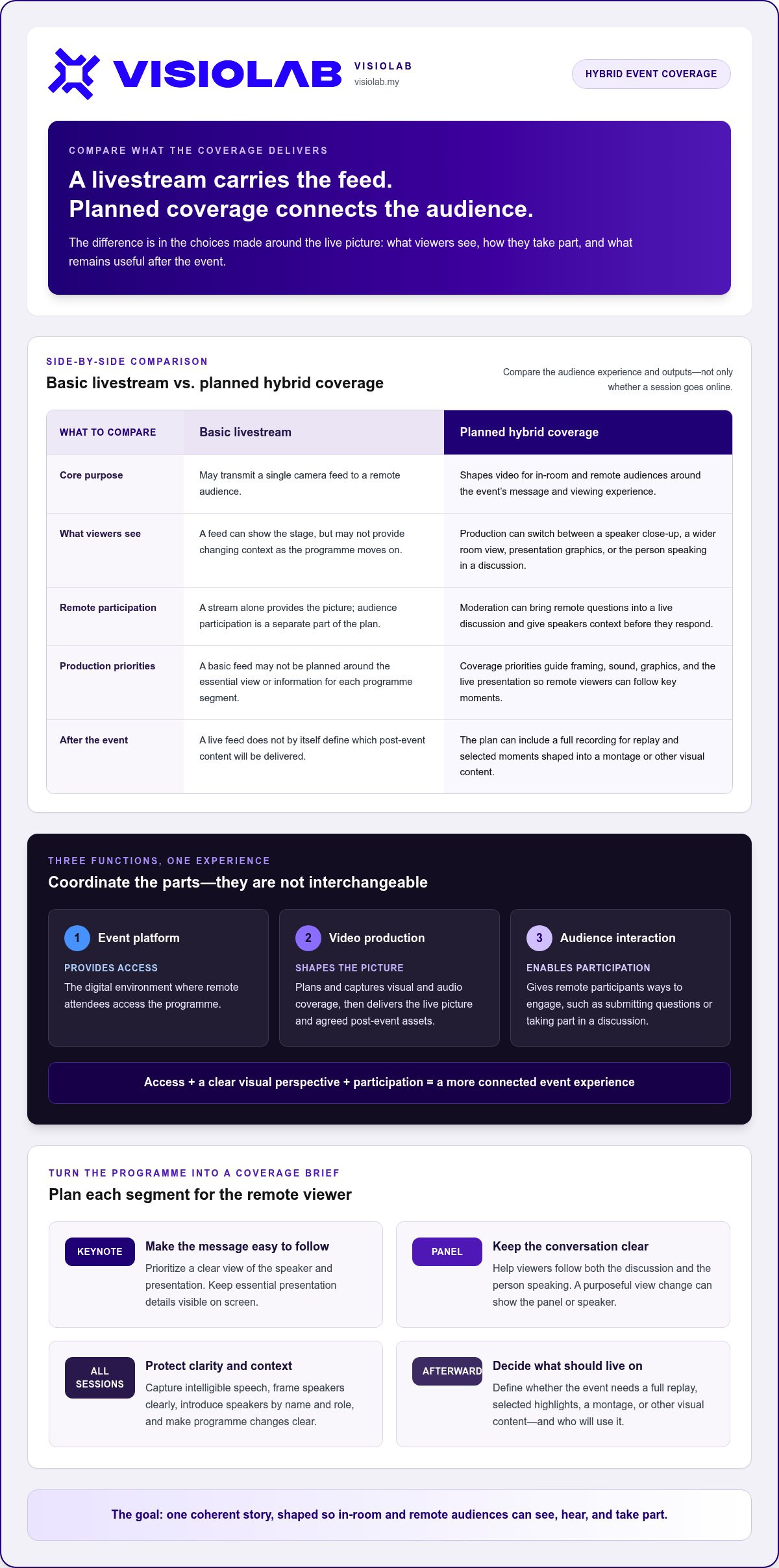
A useful production brief turns event goals into clear decisions: what to capture, how the programme should flow, and what content should remain useful afterward. Use this sequence to align organizers, presenters, and production around one plan.
State what the event needs to communicate, who will attend in person, and who will join remotely. Note what each audience should understand or be able to do.
Identify key messages, essential programme moments, and segments that need particular visual attention. Separate must-capture content from material that is optional.
Share the run of show, speaker names and roles, presentation materials, and planned transitions. Flag panels, demonstrations, or other segments that need a distinct coverage approach.
Record how remote attendees will access the event and how they can contribute, such as through moderated questions. Assign responsibility for sharing access information and managing audience input.
List the required live coverage and any post-event footage, replay, or montage. If the event needs a virtual experience, include its purpose and how it should connect to the programme.
Confirm the venue and event schedule, then clarify who coordinates presenters, programme changes, audience access, and production communication. Build in a readiness review so the team can align on priorities before the event begins.
Keep the brief practical and easy to use. Bring together the event purpose, audience needs, key messages, speakers, venue details, schedule, remote participation plan, and intended outputs. Include presentation materials and flag any segment with a different visual requirement. This gives production a shared reference point and helps the team make informed decisions if the run of show changes.
Turn the run of show into a working coordination plan. Make speaker handovers, programme transitions, and communication responsibilities clear to organizers, presenters, and production crew. Before the event, review content priorities and remote access together. This final alignment helps catch unclear ownership or missing information while there’s still time to resolve it.
For broader planning context, explore VISIOLAB’s strategic corporate video production guide. To shape hybrid event video coverage solutions around your event message and audience experience, plan event video coverage with VISIOLAB.
The right production partner looks beyond the broadcast. They begin with the event’s purpose, identify the messages that matter, and shape coverage around the experience intended for in-room and remote audiences. That strategic understanding guides editorial choices: which moments deserve emphasis, how the programme should flow onscreen, and what footage may be useful after the event.
Look for a joined-up approach to message, production, and audience experience. Clear communication priorities help determine what to capture, while disciplined coordination connects those choices to the programme, speakers, and production requirements. Scope should reflect the event itself, rather than defaulting to a fixed set of deliverables. This keeps production focused and gives organizers a shared understanding of what the coverage is meant to do.
VISIOLAB brings strategic messaging into event coverage for corporate, government, GLC, and MNC clients. The aim is to translate organizational messages into clear visual content, with production decisions guided by the story the event needs to tell. For hybrid event video coverage solutions, that means considering both the live experience and the content that can carry the message forward.
Event coverage can create a record of the programme; a montage can distill key moments into a concise visual story for later communication. An immersive virtual experience can offer another way to extend event content beyond the live session. These outputs serve different purposes, so define their audiences and intended use as part of the production plan rather than treating post-event content as an automatic by-product.
For example, a corporate launch may need live coverage for remote attendees, a montage that captures the event’s central message, and a virtual experience that supports continued engagement with the launch content. VISIOLAB’s virtual product launch production guide offers further context for planning launch communications.
Choose a partner who can connect the event’s purpose to its coverage and intended follow-up content. Discuss your hybrid event video coverage with VISIOLAB and shape a production approach around the story you want every audience to take away.
Strong hybrid event video coverage solutions begin with a clear purpose. Choose production around the event’s message and the needs of in-room and remote attendees, then coordinate the platform, video, and interaction so they work as one experience. A practical brief turns those priorities into focused coverage and useful post-event content.
Think beyond the live feed, too. Event footage can support a replay, a montage, or an immersive virtual experience, each shaped for a different communication need. VISIOLAB brings event coverage, montage creation, and immersive virtual experiences together with strategic video work for corporate, GLC, MNC, and government organizations.
Ready to shape coverage around your event and its audiences? Plan hybrid event video coverage with VISIOLAB. With a clear story and thoughtful production, your event can connect people in the room and on screen, then carry its message further.
Hybrid event video coverage solutions plan how event content reaches audiences in the room and online. Depending on the event’s goals, they can include production planning, filming, live video delivery, and post-event content such as a montage. The event platform supports access and may provide interaction tools, while production shapes what viewers see and hear. The right scope depends on the programme, communication priorities, and audience needs.
A livestream can be enough when the programme is simple and remote attendees mainly need to watch. For example, a single-speaker presentation with few visual changes may not need a complex production plan. Events with multiple speakers or varied segments may benefit from coordinated camera coverage, clear audio, and planned transitions. Base the decision on what the event needs to communicate and how each audience should experience it, not on a fixed rule.
Hybrid event video coverage may include a production brief, event-day coordination, filming, live delivery, and planned post-event footage or a montage. Some events may also call for an immersive virtual experience or audience interaction. Start by identifying the key messages and moments, who needs to see them, and how the resulting content will be used. Those priorities help define a production scope that fits the event rather than adding unnecessary elements.
Keep remote attendees engaged with a clear, well-paced viewing experience and purposeful opportunities to participate. Prioritize intelligible audio, useful speaker framing, visible presentation content, and smooth transitions so viewers can follow the programme. If interaction is important, align moderation and participation tools with the session’s communication goals. Share clear programme and access information before the event, then make speaker changes and key moments easy to follow during the broadcast.
Yes, one coordinated production can serve both audiences when the plan accounts for their different viewing needs. People in the room see the stage and surrounding activity; remote viewers depend on what the camera shows. Brief the production team on priorities for each audience, including important speakers, stage activity, presentation content, and transitions. This helps coverage connect the experiences instead of simply reproducing a distant view of the room.
Event footage can support communication after the live programme when its intended use is planned in advance. A montage can bring selected moments together into a concise visual recap, while other footage can preserve important messages or document the event. The right deliverables depend on the audience and communication purpose. Include post-event content in the production brief so coverage priorities reflect how the footage may be used later.
Brief the production team with the event purpose, audience groups, key messages, programme schedule, speakers, and remote participation needs. Identify essential moments to capture and any post-event content, such as a montage, that you want to create. Include the venue and practical coordination details, then explain how the footage will be used. A clear brief gives the team a shared foundation for aligning production decisions with the event’s message and audience experience.
Plan hybrid event video coverage around your message and audience needs with VISIOLAB’s event coverage team.
Let’s create and collaborate
We’re versatile multitaskers, and we thrive on a lot of projects. You've seen a few of our works that we are most proud of, and your project could be next in line.

Empowering brands with captivating visual stories, creating strong connections and growth.
