
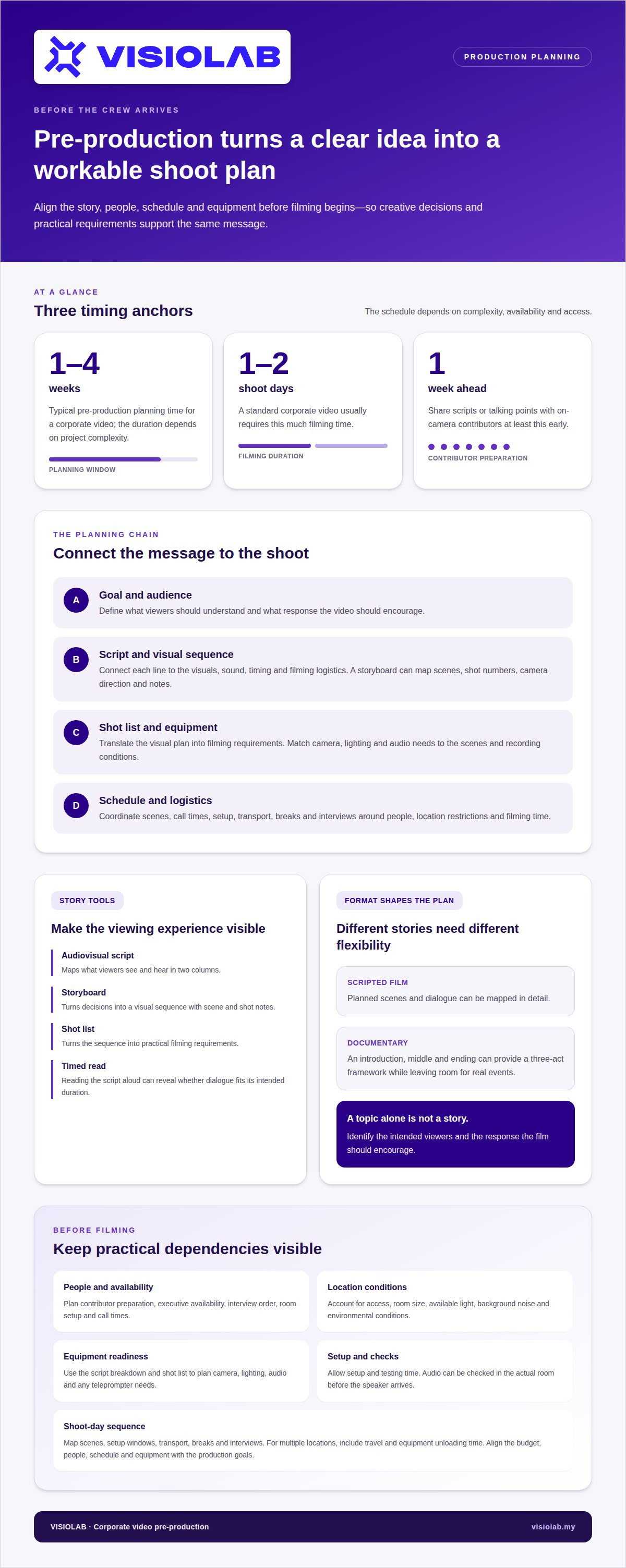
A clear idea can still lose its impact when the schedule, location or story isn’t ready. Pre-production planning for corporate video projects typically takes 1-4 weeks, depending on complexity, and covers the decisions that shape filming before the crew arrives: goals, audience, script, locations, s...
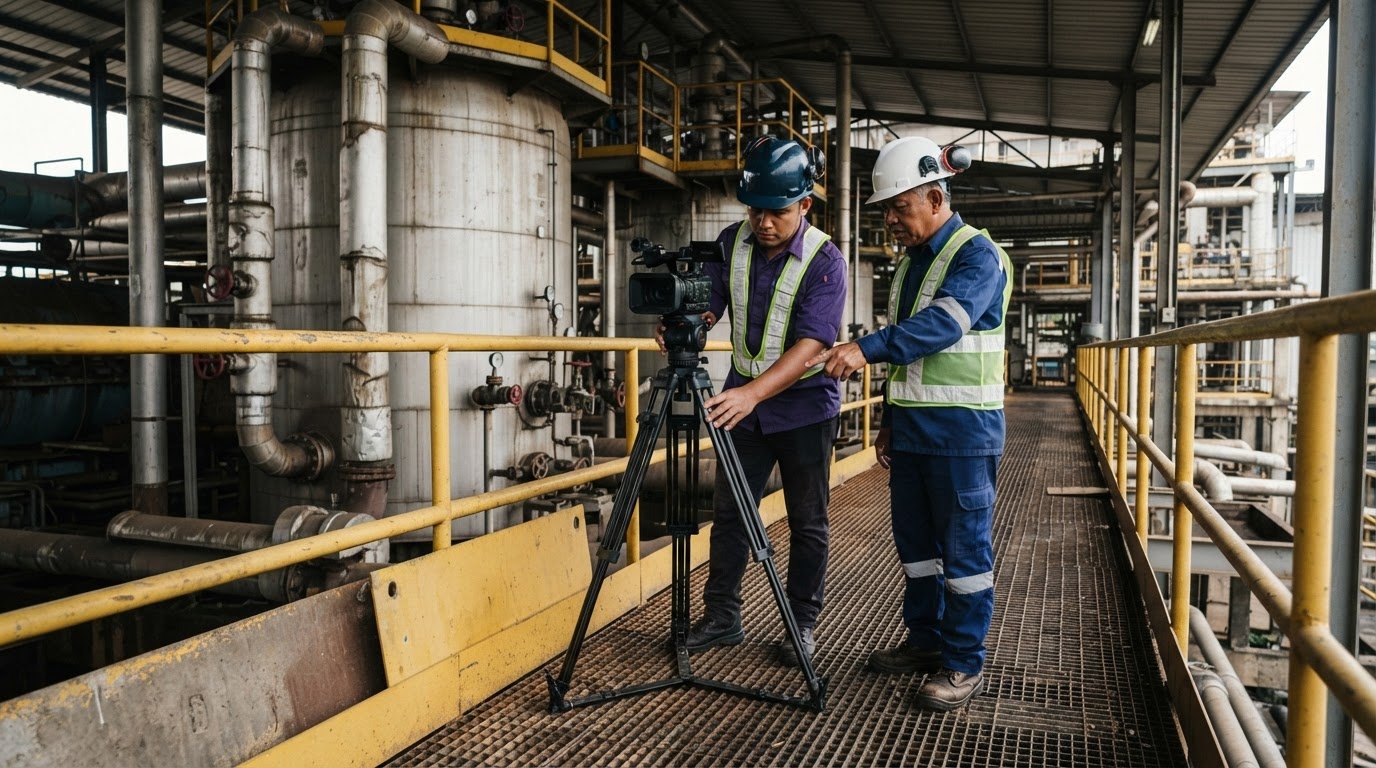
A clear idea can still lose its impact when the schedule, location or story isn’t ready. Pre-production planning for corporate video projects typically takes 1-4 weeks, depending on complexity, and covers the decisions that shape filming before the crew arrives: goals, audience, script, locations, schedule and production logistics.
That preparation matters because corporate videos are not all built the same way. A leadership interview, an explainer and an educational video each need a plan shaped around what viewers should understand and do next. Aligning the message with the format helps the production team make purposeful creative choices and avoid preventable disruption.
This guide explains what pre-production involves and how deadlines, location requirements and technical risks shape the plan. You’ll also learn how planning differs across corporate, brand, explainer and educational videos, and what helps keep a project moving from briefing to filming. The goal is simple: turn a complex message into a focused production plan with fewer surprises on shoot day.
• See how a focused script, purposeful interview questions and a storyboard align the message with what viewers see and hear.
• Understand how equipment, permissions and contingency planning help reduce avoidable disruptions on filming days.
• Learn why approval dates and task dependencies can shape the production timeline from briefing to delivery.
• Explore how location conditions, access and technical requirements influence scouting and risk planning.
• Recognise how corporate, brand, explainer and educational videos call for different creative and production decisions.
A common mistake is treating the script as dialogue alone instead of planning the full viewing experience. Effective pre-production connects each line to its visuals, sound, timing and filming logistics.
A script defines what is said and connects dialogue or voiceover to the visuals that carry the message. It can use a standard format or an audiovisual format, which maps what viewers see and hear in two columns. This distinction matters because a line that reads clearly may not work on camera without a matching action, image or scene.
A storyboard turns those decisions into a visual sequence. Its panels can show scene descriptions, shot numbers, camera direction, timing and notes. A shot list then translates the sequence into filming requirements. For example, a product demonstration might need a wide shot, a close-up of a feature and a voiceover cue. Together, these documents give the crew a shared creative reference.
Script timing estimates how long the planned words and visuals will take, while feedback from collaborators can catch issues before filming. Reading an audiovisual script aloud helps reveal whether the dialogue fits its intended duration. Circulating the draft also gives stakeholders a chance to flag missing details before the schedule and logistics depend on it.
For a time-sensitive video, map durations scene by scene in the script. If an executive introduction needs to fit a short opening, a timed read can show whether the message needs tightening. The production team can then adjust the wording or visuals before shoot planning is finalised.
Interview questions need the same story logic. They should draw out distinct points rather than invite several versions of the same answer. For a training video, for example, the sequence might move from a task’s purpose to its key steps and then a practical example. That structure helps the editor shape useful answers into a coherent narrative.
Scripted films and documentaries need different kinds of flexibility. A scripted film can map planned scenes and dialogue in detail. A documentary can use an introduction, middle and ending as a three-act framework while leaving room for real events to shape what gets filmed. A topic alone is not a story: the plan needs to identify the intended viewers and the response the film should encourage.
Before filming, share scripts or talking points with on-camera contributors at least one week ahead. This gives speakers time to understand the material and raise questions. Executive availability, interview questions, room setup and call times also belong in the production plan, so filming logistics support the approved story rather than force last-minute script changes.
Pre-production covers the decisions and preparation completed before filming begins. It links the budget, people, schedule and equipment to the production’s goals.
For a corporate shoot, the production team turns the approved concept into a workable plan. A standard corporate video usually requires 1 to 2 shoot days, so availability, access and setup time need to align before filming. Effective pre-production planning for corporate video connects those practical constraints with the intended message.
Budget, talent and time are connected constraints that shape the production process. Aligning them helps the team protect the core message while choosing a realistic scope.
The team prepares a preliminary budget and script breakdown early, then accounts for locations, contributors, equipment and filming time. If an executive can attend only during a narrow window, the interview order and room setup must fit that availability. The schedule also needs time for setup, scene changes and breaks, not just recorded content.
Talent planning covers who appears, what they need to prepare and when they can attend. A presenter may need a teleprompter; an interview contributor may need approved questions and talking points. These details affect both the filming plan and the time allocated to each scene.
A production schedule maps scenes, call times, setup windows, transport, breaks and interviews across the shoot. It gives each crew member a shared sequence and keeps dependencies visible.
The production team assigns responsibilities around the planned content. A camera operator, for example, needs the scene order and shot requirements, while a sound technician prepares for dialogue and room conditions. Depending on production needs, the team may also require a dedicated sound technician or teleprompter. Clear roles reduce uncertainty when the schedule shifts.
Interviewee availability, location restrictions, estimated filming time and environmental conditions all affect the timeline. For a shoot across multiple locations, the schedule also needs time for travel and equipment unloading.
Equipment selection matches the planned scenes and recording conditions to the tools the crew brings. This matters because unsuitable equipment can limit what the team captures.
The script breakdown and shot list guide equipment planning. A sit-down interview calls for a different setup from a demonstration requiring close-up visuals. The team considers camera, lighting and audio needs alongside room size, available light and background noise. A teleprompter supports prepared delivery; when required, a dedicated sound technician supports dialogue capture.
The schedule should include time to set up and test equipment. For scenes with dialogue, the crew can test audio in the actual room before the speaker arrives. This helps identify noise or placement issues while there is still time to adjust.
Pre-shoot checks confirm that key equipment, permissions, documents and backup plans are ready before filming. They matter because an unresolved access issue or technical fault can disrupt a scheduled scene.
In the two weeks before a shoot, the production team can check permits, tested equipment, backup batteries and media, final call sheets, wardrobe, props, interview questions, and legal or compliance reviews. The call sheet brings meeting times, locations and crew contacts together in one reference.
Contingency planning considers weather, travel delays and technical issues. For an exterior scene, the team can plan an alternative location or sequence; for recording, backup media helps protect captured footage. This is part of pre-production planning for corporate video: aligning creative and logistical decisions before filming. Corporate video production planning can bring these decisions into one coordinated process.
A creative brief turns the initial client briefing into a shared production direction. It records the video’s purpose, audience, core message, visual approach and intended response. For example, a leadership film designed to build trust needs different interview priorities from a training video that teaches a process. This focus keeps scope, creative choices and deadlines connected.
Next, the production team maps the work against the required delivery date. A critical path is the longest sequence of dependent tasks that must finish on time. If a task on that path slips, the final deadline may slip too. Script approval, location access, talent availability, filming and edit review may each depend on earlier decisions.
A production calendar should show due dates for every event, from briefing through final delivery. It should also make task dependencies visible. In a finish-to-start dependency, the next task begins only after its predecessor is complete. For instance, filming cannot follow a scene plan that still needs approval. The calendar helps reveal where a late decision could affect later work.
Typical timelines vary with scope. Pre-production for a standard corporate video typically takes 1-4 weeks, depending on complexity. Most corporate videos take 4 to 8 weeks from the first briefing to final delivery. A project involving animation, multiple locations or a large cast can take 8 to 12 weeks. These ranges show why the delivery date alone cannot define the schedule.
The plan also needs to allow time for reviews and internal approvals. A video may be ready for filming while a key stakeholder is unavailable to approve its message or visual direction. Mapping approval owners and due dates into the calendar helps the production team see those dependencies early. It also gives contributors a clear opportunity to provide consolidated feedback.
Project scope keeps the timeline realistic. The brief should distinguish essential scenes from optional additions, identify the intended audience and define what the finished video needs to achieve. Adding animation, extra locations or more talent can create new tasks and dependencies. Reflect each change in the calendar rather than treating it as a detail with no effect on delivery.
For a training or onboarding video, production commonly takes 3 to 5 weeks. A project with multiple modules may need a sequence of scripts, reviews and filming sessions. The production team can schedule those stages in order, then identify which approvals must happen before the next module proceeds. Clear milestones connect the message to the schedule and keep the final delivery date grounded in the work involved.
A location affects what the camera can capture, how the crew moves and how scenes feel. Scouting connects the visual plan with access, sound, light and practical filming conditions.
A recce is a site visit where the production team assesses a potential filming location. It matters because a room that looks suitable in photographs may create sound, lighting or access problems on camera.
During the visit, the team checks planned camera positions, background, available light, noise and space for equipment. For an office interview, a glass meeting room may look polished but reflect lights and show distracting movement behind the speaker. A recce helps identify a better angle or room before the shoot schedule is set.
Scouting also tests whether the location supports the audience’s perspective. A factory-floor scene might need a safe, clear view of the process, while an executive interview may benefit from a quieter room. The location should serve the scene, not simply look impressive.
Location planning confirms where filming will happen and what permission or access arrangements the site requires. It matters because access conditions can determine the crew’s schedule, movement and usable scenes.
The production team identifies whether a location is private property, a workplace or a public space, then plans the relevant permissions with the responsible parties. Requirements vary by site and filming activity, so the team builds those arrangements into the project timeline instead of assuming access is automatic.
A video project spanning multiple locations also needs a route between sites, equipment unloading points and realistic transition time. For example, filming an office interview before a nearby exterior scene requires coordination around transport, access windows and setup. The schedule should account for these conditions.
Technical risk checks assess how the location may affect filming, while set planning arranges the scene for clear, workable camera views. These steps matter because sound, light and space can change what the final footage communicates.
The team checks each planned camera frame for persistent background noise, mixed lighting, reflective surfaces and obstructions. A site near active machinery, for instance, may make dialogue difficult to capture. The production team can consider another room, a different filming angle or a scene order that reduces disruption.
Set planning then places people, props and equipment within the available space. A product demonstration needs room for the subject, the camera and a clear view of the action. A corporate interview may need a composed background without confidential documents or distracting foot traffic.
Contingency planning links each identified risk to a practical alternative. If an exterior scene depends on suitable weather, the team can consider an indoor version or change the scene order. For technical issues, a backup location or revised setup can keep filming moving. These options help protect the story while adapting to conditions at the site.
A professional team begins by defining the video’s objective and audience, then shapes the message, format, visual approach and production plan around them. These steps ensure each recording choice serves a clear purpose instead of adding detail without direction.
A corporate video may introduce an organisation, explain its work or communicate a change. The team narrows the subject to one central idea, then chooses evidence, speakers and scenes that support it. For example, a video introducing a new workplace process should show what changes and why, rather than try to cover every organisational update.
Brand videos need a distinct point of view. The story, tone and visual choices should reflect the organisation’s identity while speaking to its intended viewers, such as potential clients, employees or partners. A company seeking to attract employees may foreground people and workplace culture; a video aimed at partners may focus on shared goals. The brief connects that audience need to the finished video.
Explainer videos turn a complex subject into a sequence viewers can follow. A storyboard helps the team plan graphics, transitions and on-screen text before animation or recording begins. For an explainer about a technical service, the visual sequence might move from the problem to the process and then its practical value. Each screen should clarify one part of the message.
Educational videos face a different test: can viewers understand and use the information? Before filming, the team checks graphics, statistics, demonstrations and examples. Technical terms should be explained for viewers with different backgrounds. A safety lesson, for instance, needs visuals that make each action clear, while a training video may need separate sections for distinct tasks.
Delivery plans also shape creative decisions. The team considers where the video will appear, such as a website or social media platform, then optimises the resolution for that destination. Captions, audio descriptions and adjustable settings can make content usable by a wider audience. Planning these needs early affects what appears on screen and how information is presented.
Format should follow purpose, not habit. A leadership message may rely on a speaker’s direct delivery, while an explainer may need animated visuals to make a process visible. The production team aligns audience, objective and format before refining the creative treatment. Plan a corporate video around your audience and objectives to bring that direction into focus.
VISIOLAB helps organisations turn complex messages into clear, purposeful video content. Its Corporate Video service suits teams that need to communicate their organisation’s story, priorities or work to employees, partners or wider audiences.
When a message needs visual explanation or structured learning, Explainer and Training Video can make information easier to follow. ESG Video helps present environmental, social and governance stories, while Safety Video supports communication of workplace safety information. Each format calls for a distinct approach to the message, audience and visuals.
Turn to VISIOLAB when your team needs professional support connecting the brief, creative direction and production plan. Bring your communication goal, intended audience and key message into the conversation, then contact VISIOLAB to discuss your corporate video project.
Your next decision is not simply what to film. It is what you want people to understand, feel or do after watching. A clear communication goal gives the creative direction purpose and helps your organisation make confident choices as the project takes shape. Strong pre-production planning for corporate video connects that purpose to a production approach built around your audience.
VISIOLAB offers Corporate Video for organisational storytelling, Explainer and Training Video for clear learning, and ESG Video for communicating environmental, social and governance priorities. The right format depends on the message you need to bring forward and the people you need to reach.
Bring your central idea and audience into the conversation, then shape the production around them. Contact VISIOLAB to plan your video and take the next step with clarity and purpose.
Yes, a project may move faster than four weeks when decisions, access and contributors are ready. VISIOLAB says its full production cycle normally takes 4-10 weeks, depending on complexity. “48-hour miracles” are possible for urgent requests, but they aren’t the standard timeline. A shorter schedule depends on project scope, approval speed, location coordination and how quickly essential materials are provided.
The team coordinates access, filming times, location arrangements, transport, crew call details and scene order. The client can help by supplying the project brief, approved brand assets, relevant reference materials, spokesperson availability and internal access requirements. For example, a workplace demonstration may need a site contact to coordinate entry and identify areas where filming can take place.
A team can develop a creative brief, script, storyboard, shot list and audiovisual script, then use them to align what viewers see and hear. A recce can reveal sound or access issues before filming. For a video explaining a process, the team might map each stage visually and plan supporting footage, so the final edit explains the sequence clearly without relying on one long interview.
Pre-production turns a broad communication goal into decisions the production team can act on. It aligns the intended audience, message, contributors and filming requirements before the shoot. For example, if a key speaker can attend only during a limited window, planning their scenes early helps coordinate the crew and location around that availability. This reduces avoidable changes during filming.
Include the video’s purpose, intended viewers, main message, preferred format, planned use and desired response. Add relevant background, brand materials, subject experts, key dates and known location constraints. A brief for an employee onboarding video, for instance, should identify the staff audience, the process being introduced and the information employees need to remember. These details give the creative direction a practical foundation.
The team discusses the business goal, who needs to watch and what viewers should understand or do afterwards. It then focuses the message on that outcome. For example, a video introducing a new service might prioritise explaining its value to prospective clients rather than covering every company milestone. The agreed objective also guides the format, tone and evidence or stories needed to make the message credible.
VISIOLAB project budgets typically start between RM30,000 and RM60,000; this is a project budget range, not a fixed pre-production fee. The production plan and requirements shape the project scope, including the format, locations, talent and creative work involved. A project with animation or several locations has different planning needs from a straightforward interview. A cost estimate should reflect the complete brief and intended deliverables.
Pre-production for a standard corporate video typically takes 1-4 weeks, depending on project complexity. A simple interview may require less planning than a production with multiple locations, animation or a larger cast. The timeline also depends on how quickly the script and creative direction are approved, and whether key contributors and locations can be scheduled. VISIOLAB’s full production cycle normally takes 4-10 weeks.
Let’s create and collaborate
We’re versatile multitaskers, and we thrive on a lot of projects. You've seen a few of our works that we are most proud of, and your project could be next in line.

Empowering brands with captivating visual stories, creating strong connections and growth.
