
A polished event recap can still leave your best footage doing nothing. The answer to how to repurpose event footage for marketing isn’t to shrink the same edit for every channel. It’s to identify moments that matter to specific audiences, then shape each one around a clear purpose.An event may look...
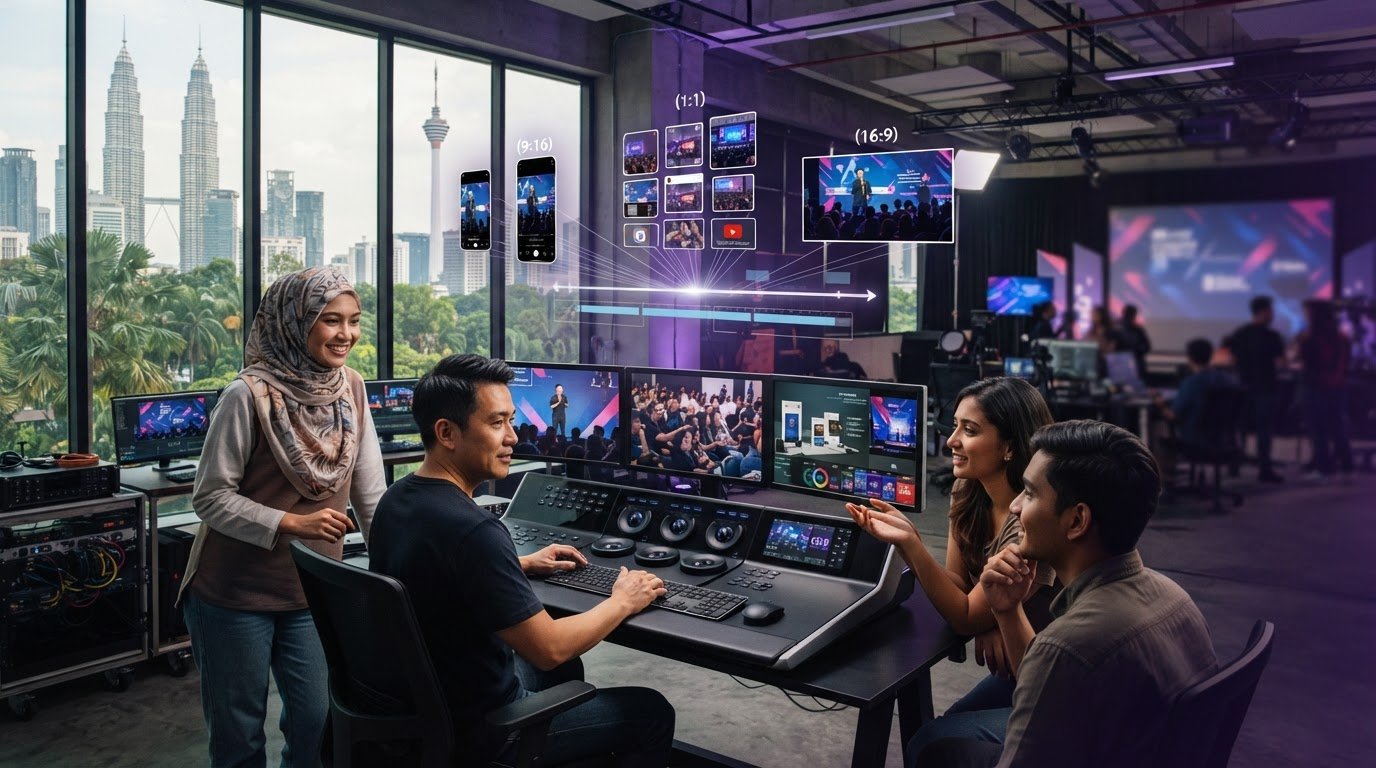
A polished event recap can still leave your best footage doing nothing. The answer to how to repurpose event footage for marketing isn’t to shrink the same edit for every channel. It’s to identify moments that matter to specific audiences, then shape each one around a clear purpose.
An event may look like a single story: the speakers, the crowd and the highlights. But the footage can also hold useful insights, strong soundbites and examples of your organisation’s ideas in action. Without an editorial plan, those moments can stay buried in the archive, while a recap focused only on the day has little life beyond it.
This guide covers how to build a practical post-event content plan, choose footage worth developing and create channel-appropriate assets that support wider business goals. You’ll learn how to extend event messaging through distinct edits, connect event coverage and montage creation to ongoing communication, and assess whether each asset is doing its job. The goal is to turn one event into a useful content library, not a stack of duplicate clips.
• Learn how to repurpose event footage for marketing by selecting moments that serve a specific audience and communication goal.
• Organise useful clips by message, audience question or priority instead of relying only on the event schedule.
• Adapt each asset’s opening, captions, framing and context to suit its channel.
• Use a clear workflow with assigned owners for approvals, publishing and asset management.
• Plan key messages and future edits alongside event coverage to make footage more useful after the event.
A highlight reel captures an event’s energy, but it rarely answers every audience’s question. To understand how to repurpose event footage for marketing, treat recorded moments as source material for distinct assets, each shaped around a communication goal. A keynote excerpt, an audience response and a product demonstration can each carry a different message when chosen and edited with purpose.
The difference is editorial, not simply technical. A chronological recap follows the programme from opening remarks to closing moments. An audience-focused content series starts with what viewers need to know: a client may want the strategic takeaway, employees may need clarity on a new direction, and partners may value a discussion about shared priorities. One event can support all three without repeating the same edit.
More footage does not automatically mean more value. Selection determines which moments deserve attention; context helps viewers understand why a clip matters; distribution puts it in front of the intended audience. Without those decisions, even a well-filmed event can become an archive rather than an active communication resource.
Repurposing isn’t trimming one recap into several near-identical versions. It means building different assets from recorded moments, with each edit giving viewers a clear reason to watch. For example, a keynote insight about a business challenge could become a standalone thought-leadership clip. Introduce the challenge it addresses and add captions that preserve the speaker’s point. Shortening must never distort the original meaning.
Start with the outcome, then choose footage that supports it. Awareness content might foreground a distinctive brand message; educational content might focus on an expert explanation; stakeholder communication may need a leadership update. External marketing speaks to customers or the public, while internal and partner communications provide relevant context for employees and collaborators. This is content marketing in practice: useful material shaped for a defined audience and purpose.
Share a speaker’s perspective or a focused insight.
Reinforce key messages for attendees and extend them to people who couldn’t attend.
Clarify decisions, priorities or learning for employees.
Use meaningful event moments to show organisational values in action.
These goals may overlap, but assets should still be planned for their intended viewers. A public-facing clip may need a concise introduction and brand context; an internal message may require more explanation. Aligning the message, audience and format is part of strategic corporate video production in Malaysia. Next, organise the footage around those priorities, not just the event schedule.
A useful content library starts with a deliberate review, not a search for the most dramatic shots. Set the event agenda beside the organisation’s key messages, audience questions and communication priorities. Review the recordings for moments that answer a real question, clarify a point or show an idea in action. The agenda helps locate material; the communication plan helps determine what it can become.
Look for concise insights, clear explanations, meaningful audience reactions and statements supported by relevant visuals. A memorable line may not work as a standalone clip if it depends on a question or explanation that came earlier. Check each candidate against approved messages and the intended audience. Note the speaker, topic, timecode, recording source and any context an editor will need.
Build a simple review log as you watch. Include a short summary of each moment, its potential use and any editorial considerations, such as a sentence that must stay with the clip to preserve its meaning. This makes strong material easier to find and reduces repeated reviews of long recordings.
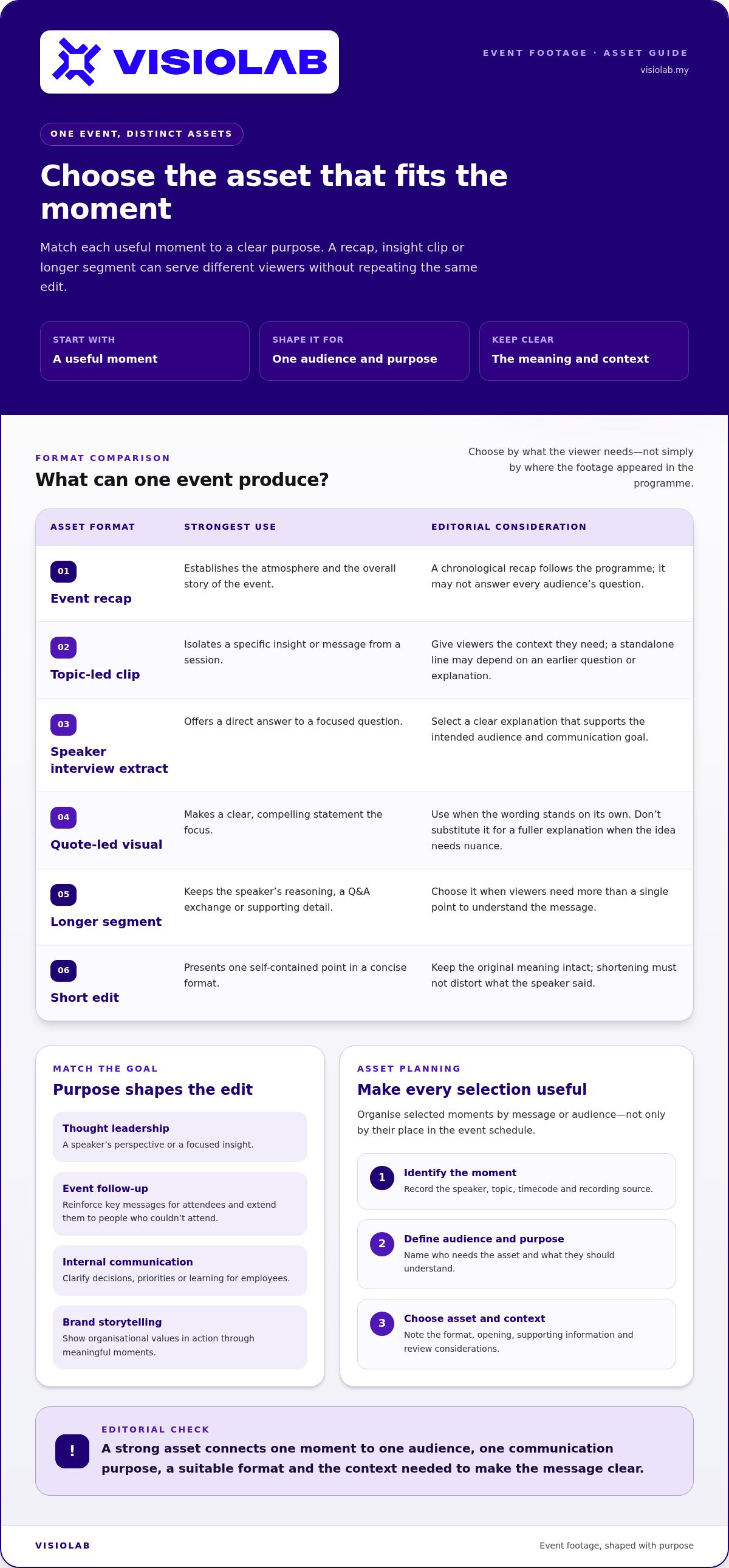
Match the moment to the asset rather than forcing every useful segment into a short social edit. A broad event recap can establish the atmosphere and overall story. Topic-led clips can isolate a specific insight, while speaker interview extracts can offer a direct answer to a focused question. A quote-led visual asset may work when the wording is clear and compelling, but it shouldn’t replace a fuller explanation when the idea needs nuance.
Longer segments are useful when viewers need the speaker’s reasoning, a question-and-answer exchange or supporting detail. Short edits suit a single, self-contained point. For broader channel planning, the commercial video production guide explores how video choices can align with communication needs.
Organise selected moments by message or audience, not just by where they appeared in the programme. A session on organisational change, for example, may contain material for an employee explainer, a leadership insight and a partner update. Each asset needs its own context, even when the source is the same recording.
An asset plan connects each selected moment to one audience, one communication purpose, a suitable format and the context needed to make the message clear. Use a simple table or shared tracker to keep those decisions visible:
Speaker, topic, timecode and recording source.
Who needs the asset and what they should understand.
Proposed format, opening, supporting information and review notes.
This approach turns how to repurpose event footage for marketing into a repeatable editorial practice. VISIOLAB provides strategic event coverage and montage creation to help organisations shape recorded moments into purposeful assets. Explore VISIOLAB’s event video approach as you plan the next stage of your content library.
A strong source moment isn’t a finished asset. Its opening, framing, captions and supporting context should match where it will appear and who will watch. A LinkedIn clip for professionals, a YouTube session recording and an internal update serve different needs. Treating them as interchangeable risks making each version feel out of place. Use this channel comparison as a starting point, then verify current platform specifications before publishing.
| Channel and audience | Communication purpose | Suitable footage | Edit treatment | Context needed |
|---|---|---|---|---|
| LinkedIn, professional audiences | Share an industry insight or organisational perspective | A concise keynote point, expert explanation or interview answer | Open on the insight or question; add captions and identify the speaker | Briefly explain the topic and why it matters beyond the event |
| YouTube, viewers seeking depth | Provide a fuller explanation or lasting resource | A complete presentation, panel discussion or connected set of ideas | Retain the argument’s progression; add a clear title and useful chaptering where appropriate | Introduce the session, speakers and subject for people who weren’t there |
| Internal channels, employees or partners | Clarify priorities, decisions or learning | A leadership message, relevant session extract or event summary | Keep essential detail and use direct, audience-specific framing | Explain what the message means for the organisation or partner group |
Lead with the insight, not the event logistics. Replace a slow opening or lengthy introduction with the central question or takeaway, while keeping the speaker’s meaning intact. Add accurate captions and identify the speaker so the clip remains understandable without sound. Include enough event context to orient viewers who didn’t attend, such as the topic or the discussion the speaker is responding to.
Framing matters, too. A horizontal recording may need a considered crop for a vertical placement. Keep the speaker and any important visual information in view. Current general recommendations include 9:16 for short-form vertical video and 16:9 for long-form content. Check each platform’s latest requirements before export rather than assuming one file will fit every placement.
That’s the practical core of how to repurpose event footage for marketing: retain the message, but reshape the presentation around the viewer’s context. Don’t assume identical content will work equally well across channels or audiences. A clip that works as a concise professional insight may feel incomplete as an internal explanation.
Choose a longer edit when the subject depends on continuity, evidence or a complete presentation. Use a short clip when one self-contained point answers a defined audience need. Some stories also require a sustained narrative rather than isolated highlights; explore corporate documentary storytelling for that approach. Match the length to the idea, then check the channel’s current duration, aspect-ratio and file requirements before publishing.
A repeatable workflow keeps edits moving without losing message clarity or control. Decide who owns each handoff before editing begins: one person approves the message, another coordinates speaker review, channel owners manage publishing, and an asset manager maintains the files and status tracker. Clear ownership prevents late-stage uncertainty from holding up useful content.
Define the communication goal, target audience, core message and intended channel for each asset. A clip designed to explain a strategic priority needs a different review lens from one intended to build external awareness.
Gather recordings, transcripts and notes in an organised location. Track each candidate moment’s source file, speaker, topic and timecode so editors can find the original context.
Connect each source moment to an audience, purpose and proposed format. Keep a longer segment where meaning depends on explanation; use a shorter edit when one point stands on its own.
Shape the opening, framing, captions and supporting context for the intended channel. The message approver checks accuracy, while speaker review can help confirm that a shortened excerpt preserves the intended meaning.
Review consent and usage rights, confidentiality, accessibility, captions, branding and sensitive information that should be excluded. Assign an owner to resolve each issue before the asset is cleared to publish.
Channel owners schedule assets in a sequence that gives each edit context and avoids competing messages. Update the tracker with publication status, then compare performance with the goal set for the asset.
Keep one checklist beside the asset tracker. Confirm the communication objective, audience, core message and source material; record permissions and required approvals; and check captions, branding and sensitive details. Include the planned channel and publishing order. Related edits may build on one another, so sequence them to provide context rather than releasing several versions of the same message at once.
For every asset, record its source moment, intended audience, channel, owner and publication status. A shared tracker makes handoffs visible and reduces the risk of losing a useful clip in a folder of exports.
Choose measures that fit the asset’s purpose. Completed views may help assess whether viewers stayed with an educational segment; qualified engagement can offer a more relevant signal for a thought-leadership clip. Compare like with like by assessing each asset against its intended audience and channel, rather than treating every view as equal. Use those observations to refine future edits and planning. A broader visual communication strategy can help connect individual assets to a more coherent programme.
With strategic messaging and disciplined production, event coverage and montage creation can feed a managed content workflow. Plan strategic event coverage and post-event video content with VISIOLAB.
Useful post-event content begins before the cameras roll. If filming is planned only to document what happened, editors may capture the stage and atmosphere but miss the details needed to explain a key idea later. Planning around future communication needs helps teams identify which messages, people and moments deserve clear coverage, while leaving room for natural reactions that make an event feel real.
That distinction matters. Event documentation records the occasion; a content plan gives selected moments a continuing purpose. A leadership address might provide the central message for an internal update, while an audience question could lead to a useful explainer. These outcomes depend on footage that captures the speaker clearly and preserves enough context for viewers who weren’t present.
Start with communication priorities. Identify the audiences you need to reach, the messages they should take away, and the speakers or programme moments most likely to support those messages. Share these priorities with the production team so coverage accounts for planned edits, not just the running order.
Planning isn’t scripting every moment. Identify priority shots and speakers, then leave space for authentic interactions, unscripted comments and audience responses. Clear audio, usable visuals, speaker identification and relevant context help editors shape material without obscuring its original meaning.
Define who each future asset should serve and what it should communicate.
Flag key speakers, sessions, demonstrations and visual details alongside the event programme.
Consider how editors will identify speakers, understand the moment and preserve context.
Allow for genuine interactions that may reveal a useful perspective beyond the planned agenda.
A strategic production partner connects capture decisions to communication outcomes. VISIOLAB combines event coverage and montage creation with message strategy, editorial clarity and production discipline. This means planning what to record and how the footage can support the organisation’s wider story after the event.
A montage can bring together the event’s atmosphere, key moments and overall message, giving viewers a concise sense of the occasion. Topic-led assets serve a different role: they focus on a particular insight, explanation or audience need. The montage can complement those assets, but it shouldn’t have to carry every message on its own. Together, they can create a coherent sequence of communication, from broad event context to focused ideas.
For organisations considering how to repurpose event footage for marketing, the next step is to align coverage with the messages and audiences that matter after the programme ends. That early alignment gives production and editing a clearer direction. Plan event coverage with VISIOLAB around your post-event communication needs.
The next event can be more than a moment on the calendar. Treat it as the starting point for communication that continues to answer questions, share perspectives and strengthen your organisation’s story. Once you know how to repurpose event footage for marketing, make post-event planning part of the event brief: decide what audiences should take away and what material will help carry those messages forward.
That takes more than recording the programme. It calls for clear editorial choices and production that supports the story you want to tell. VISIOLAB brings event coverage and montage creation together with strategic messaging and production discipline, helping organisations plan for future use.
Make your next event work harder as a communication asset. Plan strategic event coverage with VISIOLAB, and build a stronger foundation for the stories that follow.
Publish footage once it’s accurate, approved and useful to the intended audience; there’s no universal deadline. A timely follow-up can answer attendee questions while the discussion is fresh, while an evergreen speaker insight can wait for a relevant campaign or editorial slot. Set a target publishing window before the event, then allow time for review, captions and permission checks. If approvals take longer than planned, adjust the schedule rather than publishing an unreviewed edit.
Yes, provided each use suits its channel and audience. A speaker excerpt might introduce an idea on LinkedIn, while a resource page pairs it with a longer explanation or related materials. Consider changing the accompanying copy, title and surrounding context so each placement feels intentional. Avoid posting identical versions everywhere at once; a thoughtful sequence can give people a reason to engage with the message in a new setting.
Choose moments that express one clear idea and matter to a specific audience. To decide how to repurpose event footage for marketing, ask whether someone who missed the session can understand the clip without guessing what came before. Check that the speaker’s point is complete, the supporting visuals add meaning, and the excerpt aligns with the organisation’s approved message. A strong reaction can add texture, but shouldn’t replace a useful takeaway.
Review whether permissions cover the people, material and planned uses shown in each edit. Check speaker agreements and event registration terms, and consider whether attendees are identifiable, especially in close-ups or interviews. Also review music, presentation slides, logos or other third-party material in the frame. Route the edit through the relevant internal reviewer, and remove or obscure confidential information before publication. Requirements can depend on the specific content and intended use.
Yes. A complete recording can serve people who want the full discussion, such as attendees revisiting a session or colleagues who couldn’t join. Make it easier to navigate with a descriptive title, speaker and topic details, and timestamps for major sections. A transcript can also help readers locate relevant passages. Before sharing, review the recording for private exchanges, restricted slides or other material that wasn’t meant for a wider audience.
Give the footage a longer editorial life by connecting it to later communication needs. A panel discussion might inform a follow-up article, a speaker’s perspective could support a campaign on a related topic, and a demonstration may help explain a product or process. Revisit the archive when planning those communications, checking that the original message is still accurate and relevant. This keeps event content useful beyond announcements about the event itself.
Include each asset’s planned publication date, audience, objective, channel, owner and approval status. Add the source session or clip, its key message, any linked content and the action you want viewers to take. Note dependencies, too, such as a speaker review or a related announcement that should publish first. After release, record a suitable performance measure and a short learning note, so the calendar guides future planning rather than just scheduling posts.
Let’s create and collaborate
We’re versatile multitaskers, and we thrive on a lot of projects. You've seen a few of our works that we are most proud of, and your project could be next in line.

Empowering brands with captivating visual stories, creating strong connections and growth.
