
A reliable platform can’t rescue a virtual event without a clear story. The strongest experiences connect the message, production plan, and audience participation from the start. If you’re weighing platform features, shaping a running order, or preparing for live technical issues, those concerns are...
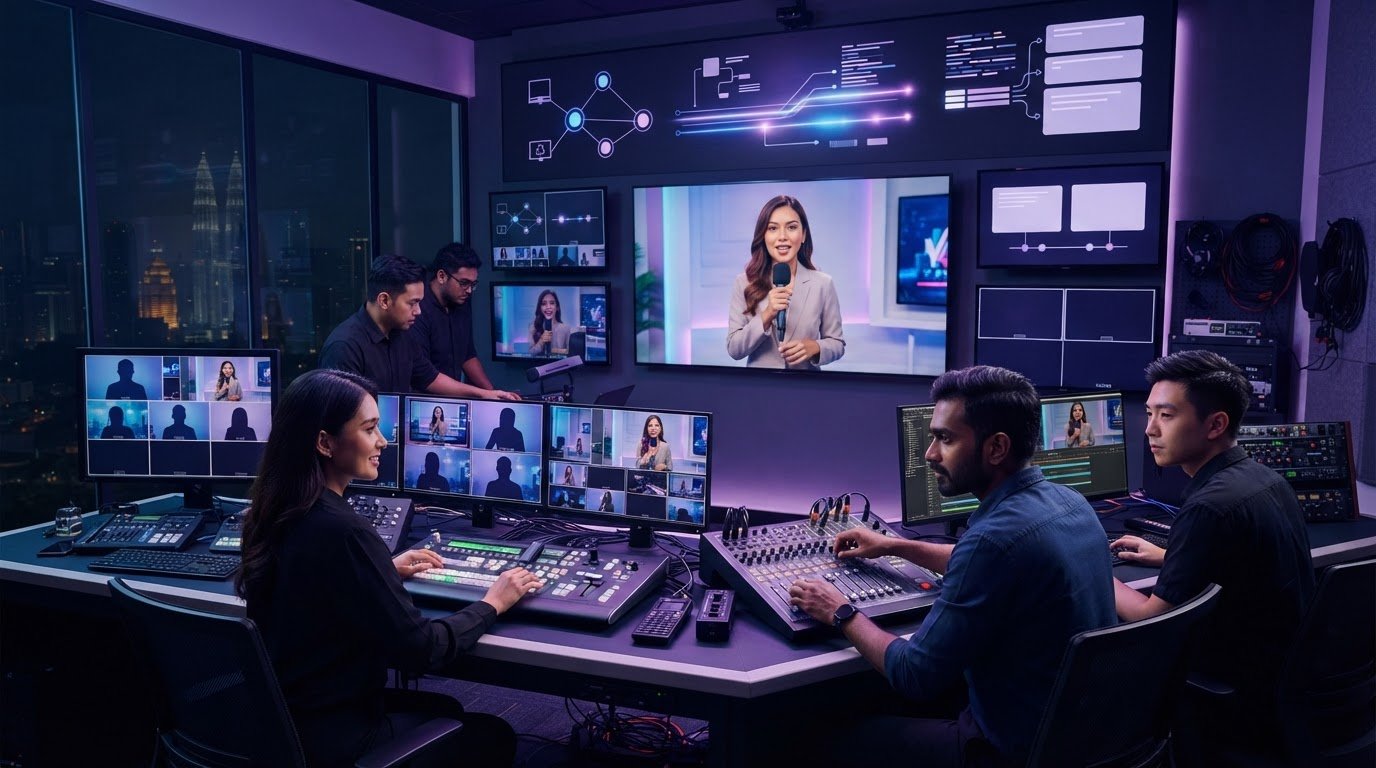
A reliable platform can’t rescue a virtual event without a clear story. The strongest experiences connect the message, production plan, and audience participation from the start.
If you’re weighing platform features, shaping a running order, or preparing for live technical issues, those concerns are part of the same planning challenge. The virtual event production best practices 2026 begin with the event’s purpose, then turn it into a focused programme that speakers, attendees, and production teams can follow with confidence.
This checklist covers strategy, content, production, and follow-up. You’ll learn how to match platform capabilities to your needs, build interaction into the session flow, and prepare speakers and technical teams for the live experience. It also shows how strategic video production can make key messages and audience takeaways clearer, whether you’re creating a virtual experience or extending an event with event coverage and montage content.
Plan the story. Coordinate the production. Give your audience a reason to participate.
• Use virtual event production best practices 2026 to align your event objective with the content, format, and tools that support it.
• Give every run-of-show segment a purpose, duration, owner, and clear transition so the programme keeps moving.
• Compare platform features with your audience’s needs, while separating digital event functions from production responsibilities.
• Rehearse the details that can interrupt delivery, from presenter devices and playback to screen sharing and moderator handoffs.
• Shape the attendee journey with an intentional welcome, accessible content, meaningful interaction, and a closing that points to next steps.
Virtual event production is the coordinated design and delivery of an event’s content, people, and technology. It shapes what the audience sees and hears, how speakers and moderators work together, and how each moment leads into the next. A platform provides digital event functions; production plans and coordinates the experience those functions support. Webcasting, or broadcasting over the Internet, is one part of delivery, not the event strategy itself.
Start with the outcome, not a platform feature list. An internal leadership briefing may need to clarify a decision and collect questions; a product launch may need to explain an offer and prompt a specific next step. Those goals call for different formats, content, and production tools. The virtual event production best practices 2026 start with a simple distinction: define why the event exists, then choose how to deliver it.
Connect the organization’s message to an audience decision or action. For example: “After this session, employees can explain the new process and know where to find guidance.” Then choose a small set of observable indicators that show whether the event supported that objective, rather than relying on a single attendance figure.
Keep the measures distinct. Registration shows intent; attendance shows who joined; participation can include poll responses or questions; completion indicates whether attendees stayed through the content; and follow-up actions show what they did afterward. Choose indicators that fit the objective, and decide how each will be recorded before the event.
Map the journey from invitation to follow-up. Can attendees understand the purpose before registering, join without confusion, follow the presentation, and find the next step afterward? Consider the devices they may use, their time zones, and how much attention the event asks of them. Build access needs into the plan: clear instructions, readable visuals, captions where appropriate, and ways to participate without speaking live.
Shape the narrative around what the audience needs to understand and do. The principles behind Strategic Corporate Video Production in Malaysia can help planners turn a complex organizational message into a clear through-line, with each segment supporting a useful takeaway. The platform enables attendance; content and production give that attendance direction.
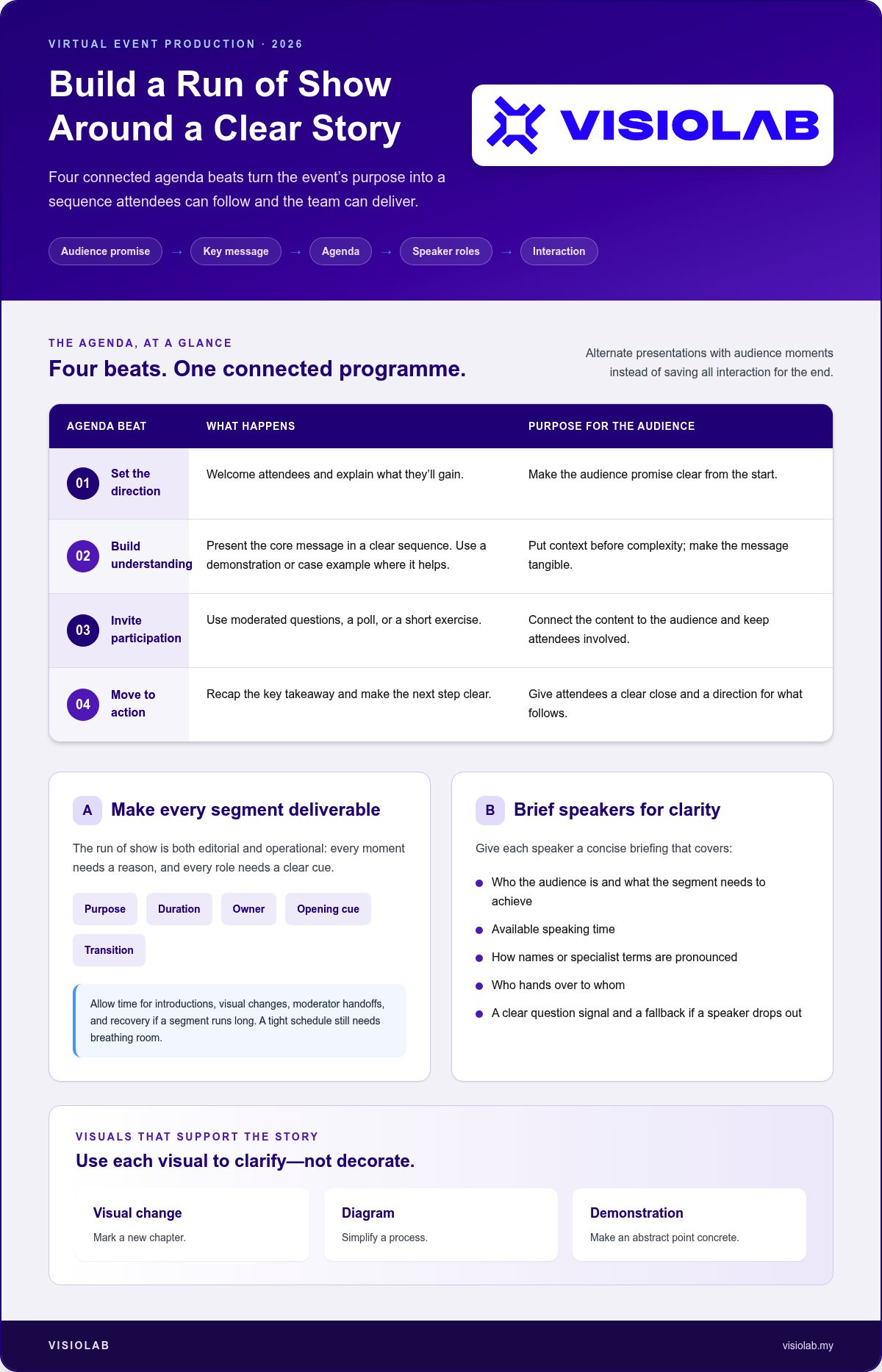
A run of show turns the event’s purpose into a sequence the audience can follow and the team can deliver. Build it in order: define the audience promise, shape the key message, arrange the agenda, assign speaker roles, then place interaction where it advances the story. This prevents the programme from becoming a stack of unrelated presentations.
A run of show is both editorial and operational: it gives every moment a reason to exist and every role a clear cue to deliver it. For each segment, record its purpose, duration, owner, opening cue, and transition. Allow time for speaker introductions, visual changes, moderator handoffs, and recovery if a segment runs long. A tight schedule still needs breathing room.
Open by stating the audience promise, then move through a small number of connected content beats. Put context before complexity: introduce the issue before presenting detailed information, then use an example or demonstration to make the message tangible. Close each major segment with a takeaway, transition, or prompt that gives attendees a reason to stay involved.
Welcome attendees and explain what they’ll gain.
Present the core message in a clear sequence, using a demonstration or case example where it helps.
Use moderated questions, a poll, or a short exercise to connect the content to the audience.
Recap the key takeaway and make the next step clear.
Alternate presentations with audience moments rather than saving all interaction for the end. Assign an owner to each cue so the speaker, moderator, and production team know when to move forward.
Give each speaker a concise briefing: who the audience is, what the segment needs to achieve, how much time is available, how names or specialist terms are pronounced, and who hands over to whom. Agree on a clear signal for questions and a fallback if a speaker drops out. These details reduce uncertainty without making delivery feel scripted.
Use slides, demonstrations, and motion graphics to clarify the idea, not decorate the screen. A visual change can mark a new chapter; a diagram can simplify a process; a demonstration can make an abstract point concrete. For technical planning that supports a smooth sequence, consult Chapman University's Virtual Event Best Practices. These virtual event production best practices 2026 connect story decisions to delivery cues, so the programme feels deliberate rather than assembled at the last minute.
For a strategic approach to coordinated event storytelling, explore VISIOLAB’s event and virtual experience capabilities.
Choose a format based on the audience’s task, not the length of a feature list. A webinar suits a presentation with managed questions; a livestream can deliver a broadcast to a broad audience; an interactive format makes discussion or exercises central; an immersive experience can create a more exploratory environment. Each format brings different access and coordination needs.
The platform provides digital functions such as registration, speaker access, audience interaction, recording, and reporting. Production shapes how the event looks, sounds, flows, and responds when something changes. As highlighted by live broadcast teams like Miami Video Production, a feature-rich platform won’t automatically create a clear narrative, confident speakers, or meaningful participation. Those depend on the content plan, assigned roles, and live direction.
Assess features against your planned audience journey. Try the attendee experience, not just the administrator view: check joining steps, device usability, interaction controls, and how questions are moderated. Zoom, Microsoft Teams, and YouTube Live are examples of tools used for different kinds of online events, not universal recommendations. Confirm that the platform’s functions match the format and that the team can operate them reliably.
| Requirement | What to assess |
|---|---|
| Interaction | Can attendees ask questions, respond, or join discussion in the intended way? |
| Access | Are joining instructions and attendee controls straightforward for the expected audience? |
| Speaker workflow | Can hosts manage presenters, handoffs, and shared content smoothly? |
| Recording | Can the session be captured and made available as planned? |
| Moderation | Can a designated person review questions and manage audience contributions? |
| Reporting | Does the platform provide the participation information needed for event follow-up? |
More moving parts mean more coordination. Multiple speakers, timed graphics, video playback, live audience interaction, and rapid transitions all need clear ownership. Define who hosts the event, briefs speakers, moderates questions, operates the platform, and cues production elements. One person can hold more than one role, but every responsibility needs an owner.
Plan for disruption as deliberately as for the ideal run. Agree on a backup presenter contact, an alternate way to share essential content, and a clear response if a speaker loses connection or playback fails. Rehearse transitions and handoffs, then make sure the moderator knows how to keep attendees informed while the team recovers. For a launch that needs coordinated product storytelling and presentation, see Virtual Product Launch Production in Malaysia.
Matching format, platform, and production roles is central to virtual event production best practices 2026: select tools that serve the event, then design the delivery around them. If your sessions are hosted from dedicated corporate spaces requiring reliable hardware, check out JVG Sound Lighting & Visual Pty Ltd for insights into professional conference room systems and AV integration.
A smooth broadcast is built before the audience joins. Use this checklist to find gaps while there’s still time to resolve them, and make sure everyone involved knows what to do when the plan changes.
Confirm the final agenda, approved slides, video files, graphics, speaker names, and pronunciation. Check that captions are prepared or enabled as planned.
Test the registration link, confirmation message, joining instructions, access permissions, and event reminders from an attendee’s perspective.
Confirm each speaker’s device, connection, presentation files, camera framing, audio, timing, and handoff cues.
Check screen sharing, video playback, graphics, transitions, moderator handoffs, and the order of every planned media asset.
Assign responsibility for technical decisions, speaker support, audience questions, attendee updates, and escalation. Everyone should know who can pause or change the broadcast.
Run the full sequence with every speaker, operator, moderator, and piece of planned media. Test audio clarity, camera framing, screen sharing, captions, and the joining experience on devices attendees are likely to use. Practise transitions, not just presentations: include introductions, question handoffs, video playback, and the closing. Confirm who communicates updates if the agenda or broadcast changes.
A rehearsal should test the entire attendee journey, every production cue, and the team’s response when a cue or connection fails. That turns a technical check into a working simulation of the event.
Write a simple response plan for connection failure, an unavailable speaker, delayed content, or interrupted streaming. For each issue, name the decision-maker, the person who updates attendees, and the next action. Prepare a concise message, such as: “We’re resolving a connection issue. Please stay on this page for an update.” Keep backup communication details accessible to the team.
Test the backup route in advance. If the plan is to switch to another link, use it during rehearsal and confirm the moderator can guide attendees there. If a speaker becomes unavailable, decide who can cover the essential message or how the agenda will shift. Virtual event production best practices 2026 include rehearsing the recovery, not just hoping it won’t be needed.
For coordinated event coverage and virtual experience production, explore VISIOLAB’s event production capabilities.
A broadcast is one moment in a longer attendee journey. Welcome people clearly, make the moderator visible and purposeful, and explain how attendees can take part. Plan captions, readable visuals, and straightforward joining instructions as part of the experience, not as last-minute fixes.
Interaction works best when it has a job. Use a poll to surface perspectives, a moderated question to clarify a key idea, or a short exercise to help attendees apply what they’ve heard. Give moderators prepared prompts and clear instructions for handling questions, selecting contributions, and keeping the conversation connected to the session. Close with a concise summary and an audience-specific next step, such as a resource to review, a decision to make, or a follow-up action.
Design participation around the content’s natural turning points. For example, after explaining a new process, invite attendees to identify which step needs clarification. This makes interaction useful rather than decorative. Keep prompts simple and accessible to people watching on different devices or unable to speak live. The moderator can offer more than one way to contribute, such as submitting a question or responding to a poll.
A thoughtful welcome sets expectations; a steady moderator presence maintains momentum; an explicit close gives the experience direction. Together, these choices turn viewing into participation.
Compare results with the indicators selected during planning. Review registration and attendance separately, then look at participation, session completion, questions, feedback, and relevant follow-up actions. Platform activity can show what attendees clicked or submitted, but it doesn’t prove they understood the message or acted on it. Use feedback and subsequent actions to add context, and note where the experience could be clearer next time.
Extend useful moments beyond the live session. With appropriate approval, repurpose event footage or key segments into follow-up communication, such as a concise recap or a resource that reinforces the main message. Event coverage and virtual experience production can shape these moments into coherent visual content. They complement the event platform by supporting the story and its delivery; they don’t replace the software that hosts the event.
These virtual event production best practices 2026 connect the welcome, live experience, and follow-up in one plan. Plan a strategic virtual event experience with VISIOLAB.
A strong virtual event starts with a clear audience outcome, then carries that purpose through the agenda, platform choice, production plan, and follow-up. A detailed run of show keeps the story moving, while rehearsal and clear role ownership help the team respond calmly when live conditions change.
These virtual event production best practices 2026 work together: technology enables the experience, production shapes its delivery, and purposeful interaction gives attendees a reason to take part. After the event, compare participation and follow-up with the goals you set, then use those insights to make the next experience more focused.
VISIOLAB combines strategic communication with production discipline across event coverage, montage creation, and immersive virtual experiences. Plan a strategic virtual event experience with VISIOLAB and bring your message to life with clarity and intent.
Your next event can be more than a broadcast. Make it a purposeful experience your audience can follow, join, and act on.
The best practices connect a clear audience outcome with purposeful content, reliable delivery, and planned participation. Start by defining what attendees should understand or do, then build an agenda with clear segment owners and transitions. Match the platform to audience access and event needs, brief speakers, rehearse the full sequence, and prepare a response plan for disruptions. The virtual event production best practices 2026 are about aligning these elements, not relying on technology alone.
Make participation part of the content flow rather than an add-on. Use a poll to surface audience views, invite moderated questions after a key idea, or offer a short exercise that helps attendees apply what they’ve heard. Tell people how to take part, and have a moderator guide contributions and connect them to the discussion. Clear visuals, concise presentations, and purposeful transitions also help maintain attention without crowding the event with features.
A virtual event platform provides online functions, while event production shapes how the experience is planned and delivered. A platform may handle registration, joining, chat, polls, and recording. Production coordinates the narrative, speakers, visuals, timing, moderation, and technical cues. For example, a poll feature doesn’t decide when a question will deepen the discussion or how its results connect to the next segment. The tool enables the moment; the production plan gives it purpose.
You can’t remove every risk, but you can identify and prepare for likely issues. Rehearse with speakers, moderators, operators, and planned media. Test audio, cameras, screen sharing, playback, captions, attendee access, and handoffs in sequence. Assign someone to make technical decisions and someone to update attendees. Prepare and test backup communication and a clear response for issues such as a speaker losing connection or the stream being interrupted.
Set rehearsal time according to the event’s complexity, rather than using one fixed duration. A short session with one speaker and a simple presentation needs fewer checks than a programme with multiple presenters, video playback, graphics, audience interaction, and several handoffs. Allow enough time to run the complete sequence, test the attendee experience, correct issues, and practise the backup plan. If a change affects cues or media, rehearse that part again.
Plan captions and accessible content as part of the attendee experience. Captions can help people follow spoken material, while readable slides, clear contrast, and plain-language joining instructions make information easier to access. Consider how attendees may participate if they can’t speak live, and explain available options at the start. Test captions and visual materials during rehearsal so issues can be addressed before the event, rather than leaving access details until broadcast day.
Measure results against the objective you set before planning. Review registration, attendance, participation, session completion, questions, feedback, and relevant follow-up actions as separate indicators. For example, attendance shows who joined, while a later action may indicate whether the event prompted a response. Platform reports can show activity, but they don’t prove audience understanding on their own. Combine available data with feedback, then use the findings to improve the next event.
Let’s create and collaborate
We’re versatile multitaskers, and we thrive on a lot of projects. You've seen a few of our works that we are most proud of, and your project could be next in line.

Empowering brands with captivating visual stories, creating strong connections and growth.
